

Photos and Videos: Common Problems
Why a photo or video in the chat arrives blurred, is refused, comes as text instead or fails, and what to do about each.
A photo or video can arrive blurred when you don't have a subscription. A request can be refused by the automated check that runs before anything is made. Replies come as text when photos or videos are switched off for your account or for that chat. A photo or video that fails gives its tokens back automatically.
Why it's blurred
Without a subscription
If one of the character's ready-made photos or videos matches what you ask for in a message, the first photo and the first video come through clear and the second of each arrives blurred. Any other photo or video needs a subscription.
On character pages
Without a subscription, the photos and videos in a character's gallery are shown blurred. With one, they show without blur.
With a subscription
Photos and videos you ask for in the chat arrive without blur and are paid from your token balance; see how tokens work.
Why a request is refused
The rules themselves are in our content policy. Here is what each note in the chat means.
"This request was blocked"
An automated check stopped the request before anything was made, so the photo or video itself isn't charged, but the blocked attempt can cost a 2-token penalty. What the check stops, and what repeated blocks can lead to, is in the content policy.
"This visual can't be made in this scene"
Once a chat has an accepted scenario, its photos and videos go through a stricter check. Ask for something else, or change the scene.
"Couldn't check this just now"
The check couldn't give an answer, so no visual was made and nothing was charged. You can ask again in a moment.
Why replies come as text
Photos and videos can be switched off for every chat, or for one chat only.
Off for your account
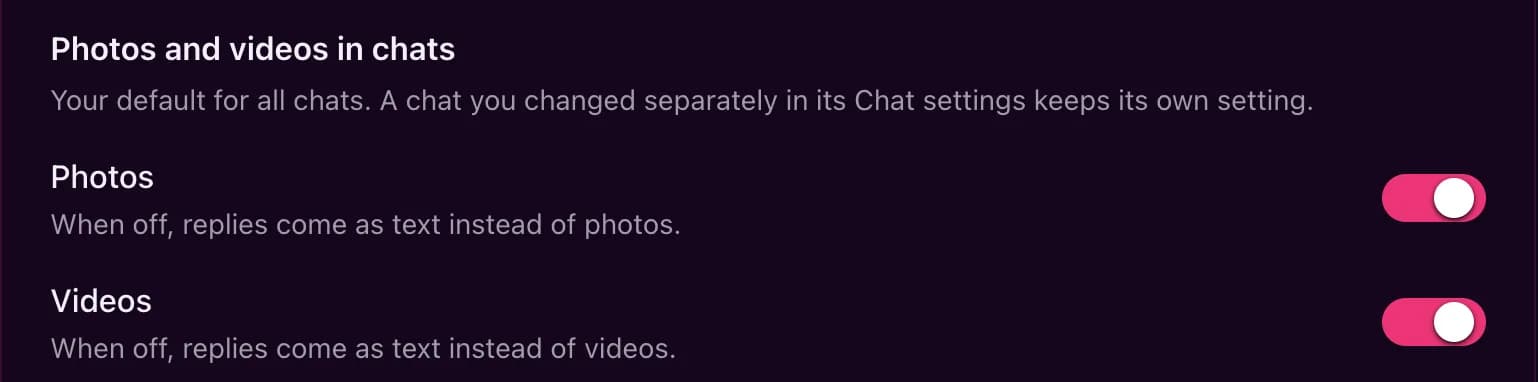
Settings has a "Photos and videos in chats" card with a Photos switch and a Videos switch. They are the default for all your chats.
Off in this chat
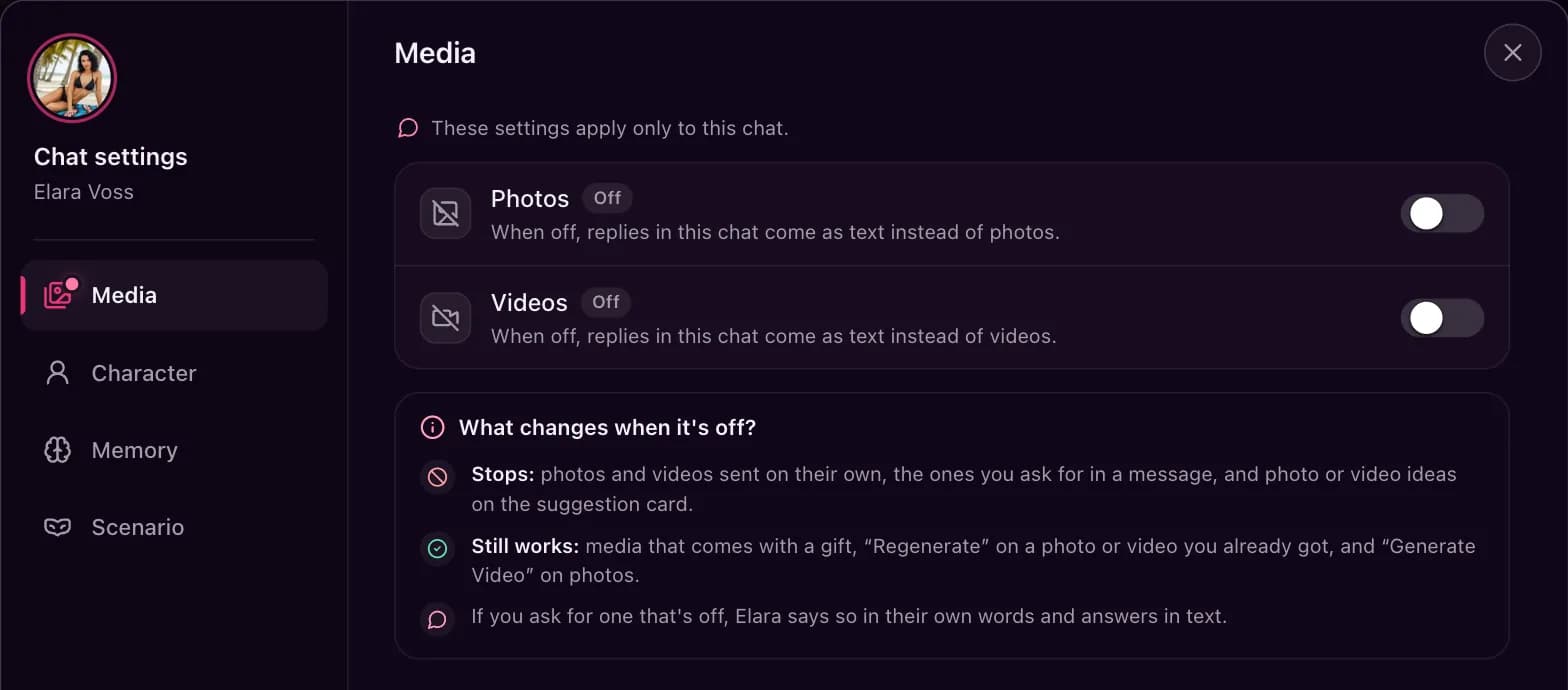
Each chat has its own switches under Chat settings > Media. A chat you changed there keeps its own setting, whatever the default says.
What still works
If you ask for one that's off, the character says so in their own words and answers in text. Media that comes with a gift, Regenerate on a photo or video you already got, and Generate Video on a photo still work.
Error messages in the chat
"Subscription Required"
This photo or video needs a subscription. Choose Subscribe to see the plans.
"Insufficient Credits"
You don't have enough tokens for it, and nothing was taken. Choose Get Tokens to top up; see how tokens work.
"Image Generation Failed"
The photo couldn't be made (for a video the note reads "Video Generation Failed"), sometimes because a service that renders them for us turned the request down. Its tokens go back to your balance automatically, and you can try again.
Still stuck?
If your problem isn't covered here, email [email protected] or use the contact form, and say which chat it happened in and when.